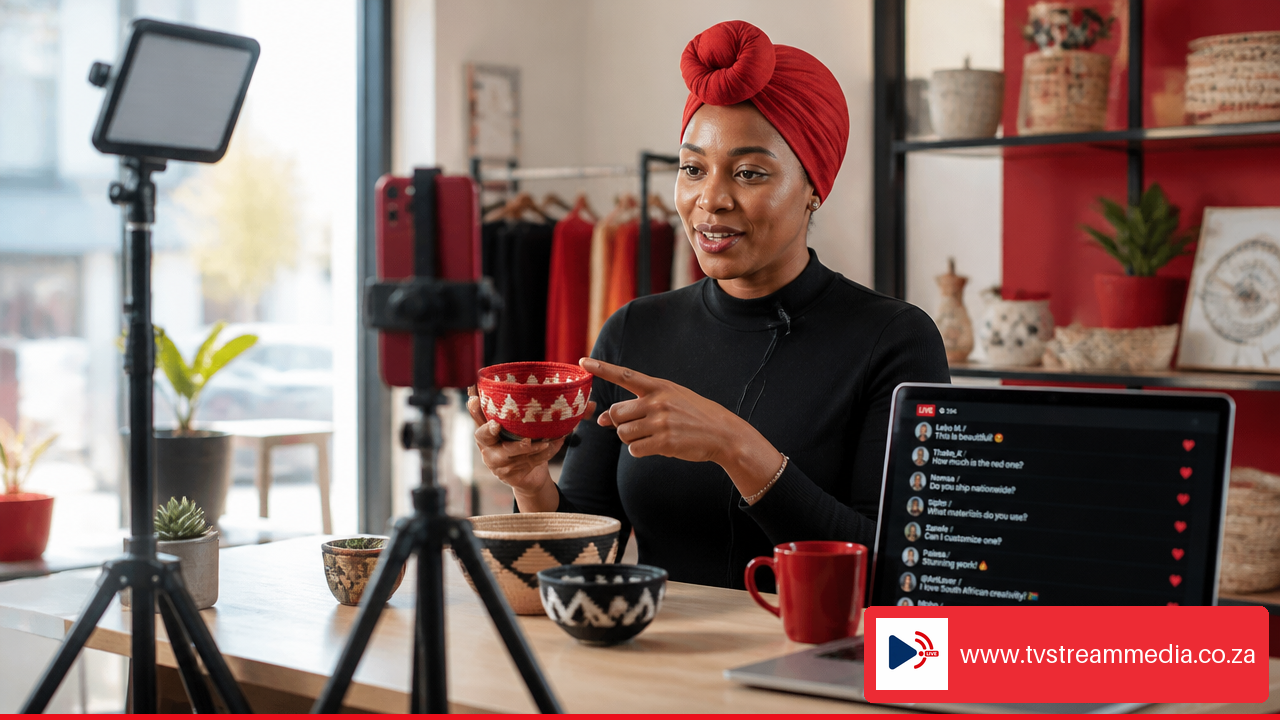
How to Live Stream Corporate Events in South Africa: A Practical Guide starts with one simple rule: treat the broadcast as a live production, not as a video call with better cameras. A strong stream depends on decisions made before event day, especially around venue connectivity, power continuity, audio routing, platform access, and rehearsal time.
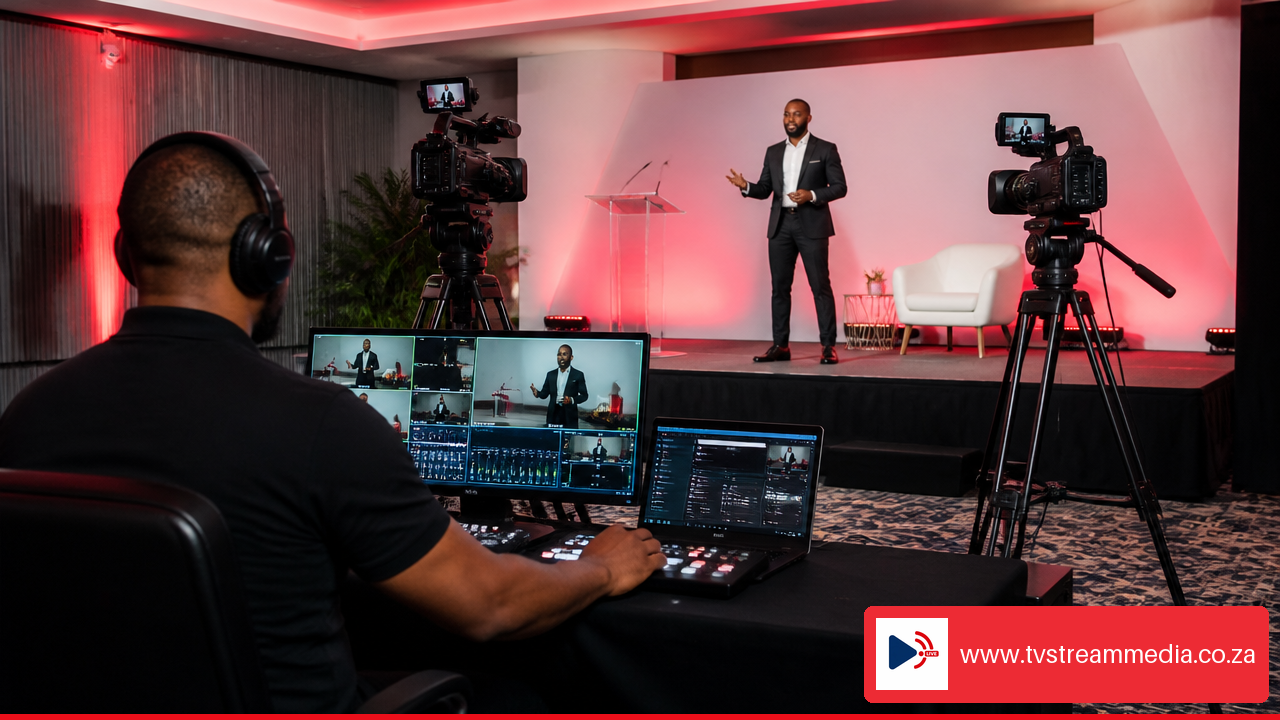
Whether you are streaming an internal town hall, conference, product launch, AGM, awards event, or hybrid leadership meeting, we recommend designing the stream around the audience experience. Remote viewers should be able to hear every speaker, see every presentation, access the event easily, and stay connected even if one technical component fails.
Key Takeaways
Start with the audience and access model. A public product launch needs different controls from a confidential executive briefing or shareholder meeting.
Measure venue internet under realistic conditions. A speed test alone is not enough. Test sustained upload, stability, competing traffic, and the backup connection at the same time of day as the event.
Separate stream bitrate from total bandwidth needs. Your encoder output, remote guests, cloud feeds, team devices, and platform outputs can all use capacity.
Protect the critical path. Encoder, internet hardware, audio mixer, key cameras, and monitoring screens need planned power continuity during an outage or generator changeover.
Make audio the priority. Viewers can tolerate a slightly imperfect camera shot; they are far less forgiving of unclear speech, echo, or distorted sound.
Rehearse the full workflow. Test presenters, slides, remote guests, captions, moderators, backup internet, and incident decisions using the actual run of show.
Plan The Broadcast Before Booking Equipment
Define The Event Outcome And Viewer Journey
First, decide what the livestream must achieve. Is the goal broad reach, secure communication, lead generation, staff participation, training, or a polished recording for later use? This choice affects every downstream decision.
For example, a public industry panel may benefit from a branded event page plus simultaneous social streaming. An AGM may need registration, access control, moderation, a protected recording, and an audit trail of attendance. An internal leadership briefing may need simple authenticated access and reliable captions rather than elaborate public promotion.
We suggest documenting the viewer journey in order:
How attendees receive the event invitation.
Whether they register, authenticate, or use an open link.
Where they watch: a branded website page, a platform page, or a social channel.
How they ask questions, respond to polls, or request support.
What happens after the event: recording access, follow up content, or on demand viewing.
This prevents a common problem: building a technically good broadcast that is difficult for the intended audience to find or enter.
Choose The Right Delivery Model
Corporate livestreams usually fit one of three production models.
Delivery Model | Best For | Advantages | Watch Outs |
|---|---|---|---|
Internal team | Small single room updates with limited production needs | Familiar staff and lower external coordination | Risk rises if the team must also host, moderate, and troubleshoot |
Production partner | Conferences, launches, hybrid events, and high visibility broadcasts | Dedicated crew, switching, audio, redundancy, and monitoring | Requires a clear scope, venue access, and lead time |
Hybrid approach | Teams with internal content owners but external technical needs | Internal control over messaging with specialist production support | Roles must be explicit to avoid duplicated or missed tasks |
A basic internal setup may be enough for a short CEO update with one presenter and a controlled office network. Avoid relying on that model for a multi speaker conference with remote guests, stage presentations, sponsor requirements, and a large external audience. The number of moving parts grows quickly.
Build A Realistic Schedule
A simple webcast may be planned in two to four weeks if the venue, speakers, and access process are straightforward. Larger hybrid conferences often need four to six weeks or more because platform configuration, graphics, registration, remote speaker testing, and technical rehearsals take time.
Use this planning sequence:
Four to six weeks before: Confirm objectives, venue, platform, budget, audience access, production scope, and permissions.
Two to four weeks before: Complete the technical recce, test connectivity, collect presentations, identify remote speakers, and draft the run of show.
One week before: Confirm graphics, session timings, moderator scripts, support contacts, backup plans, and recording requirements.
One to two days before: Run a full technical rehearsal with speakers, slides, cameras, audio, platform access, and contingency switching.
Event day: Arrive early enough for equipment setup, audio line checks, internet validation, platform monitoring, and a final presenter briefing.
A detailed rehearsal should test actual equipment, speakers, presentations, connectivity, responsibilities, and backup procedures, as outlined in SID Video’s corporate livestream rehearsal guidance.[3]
Validate Venue Internet, Power, And Audio
Turn Internet Testing Into A Venue Acceptance Test
Do not accept a venue’s statement that it has “fast Wi Fi” as proof that it can support a corporate broadcast. Venue internet can be shared with guests, exhibitors, hotel systems, staff devices, and other events. A connection that works during a quiet site visit may behave very differently when hundreds of people arrive.
A practical acceptance test has five parts:
Confirm the connection type and ownership. Ask whether the production team will receive a dedicated wired connection or share a venue service.
Set an encoder bitrate budget. Add video bitrate, audio bitrate, and reasonable operational headroom. If you are sending multiple platform outputs or contribution feeds, include them too.
Run sustained tests. Test for at least 20 to 30 minutes, not only a short speed result. Watch for upload drops, jitter, packet loss, and disconnects.
Simulate event conditions. Test during the planned event time where possible, with presentation uploads, production devices, and remote guest connections active.
Test the fallback connection. Confirm that LTE, 5G, bonded cellular, or another independent path can take over without a long interruption.
There is no universal South African upload number that fits every event. As a planning reference, one provider suggests 10 Mbps dedicated upload for a typical professional event and 20 Mbps or more for multi camera 1080p production. Your required capacity still depends on encoder settings, outputs, and the network conditions at that venue.
South African event guidance consistently advises validating connectivity, audio, and power before broadcast, including dedicated upload, wired Ethernet, bonded LTE backup, PA audio, and UPS planning. See Audiovisual Lab’s event livestream checklist.[1]
Match Connectivity To The Location
The venue type should shape the backup plan.
Venue Situation | Preferred Primary Connection | Suitable Backup | When To Escalate |
|---|---|---|---|
Metro hotel or conference center | Dedicated fibre or fixed wired connection | Independent LTE or 5G failover | Use dual providers for high consequence broadcasts |
Office boardroom | Controlled business internet | Cellular router | Escalate if staff traffic cannot be separated |
Lodge or remote conference venue | Tested fixed service where available | Bonded cellular combining multiple networks | Use a recorded fallback if tests remain inconsistent |
Outdoor activation | Dedicated cellular solution | Bonded cellular and local recording | Consider satellite only after location specific testing |
Bonded cellular internet combines several connections into one more resilient route. It is useful when no single mobile network is stable enough. It is not magic, though. Cellular capacity can change with weather, terrain, congestion, and tower demand. Test at the location rather than assuming coverage maps equal event performance.
For remote venues and restricted events, Astral Studios’ South African streaming guide notes that bonded connectivity may be needed outside metropolitan areas and that private streaming can be appropriate where access must be controlled.[2]
Engineer Power And Audio For Continuity
Load shedding and venue power uncertainty make power planning part of the production design. List every item that must remain live: encoder, internet router, bonded unit, audio mixer, switcher, primary camera, confidence monitor, and critical lighting. Then identify what supplies each item during an outage.
A UPS is designed to bridge a short power interruption or generator changeover. It is not automatically an all day battery solution. Estimate the runtime based on the real load, then conduct a power changeover test while the livestream is active. If the router reboots during the transition, the encoder may lose its route even when the camera remains powered.
For higher risk events, the plan may include a generator, UPS protected production rack, LTE failover, and a second internet provider. Corporate Event Planning’s hybrid event overview specifically identifies UPS systems, generator power, LTE failover, dual ISP arrangements, and load shedding awareness as relevant contingencies.[5]
Audio deserves the same discipline. Take a clean line feed from the venue mixing desk, but confirm what is in that feed. A room PA mix may prioritize the live audience, not online listeners. Ask for a separate broadcast mix where possible.
For hybrid sessions, use mix minus audio for remote speakers. This is a return feed that contains everyone except the remote speaker’s own voice. Without it, the speaker may hear their delayed audio return and create echo. Also test audience microphones, walk on music, videos, translated channels, and remote presentation audio before going live.
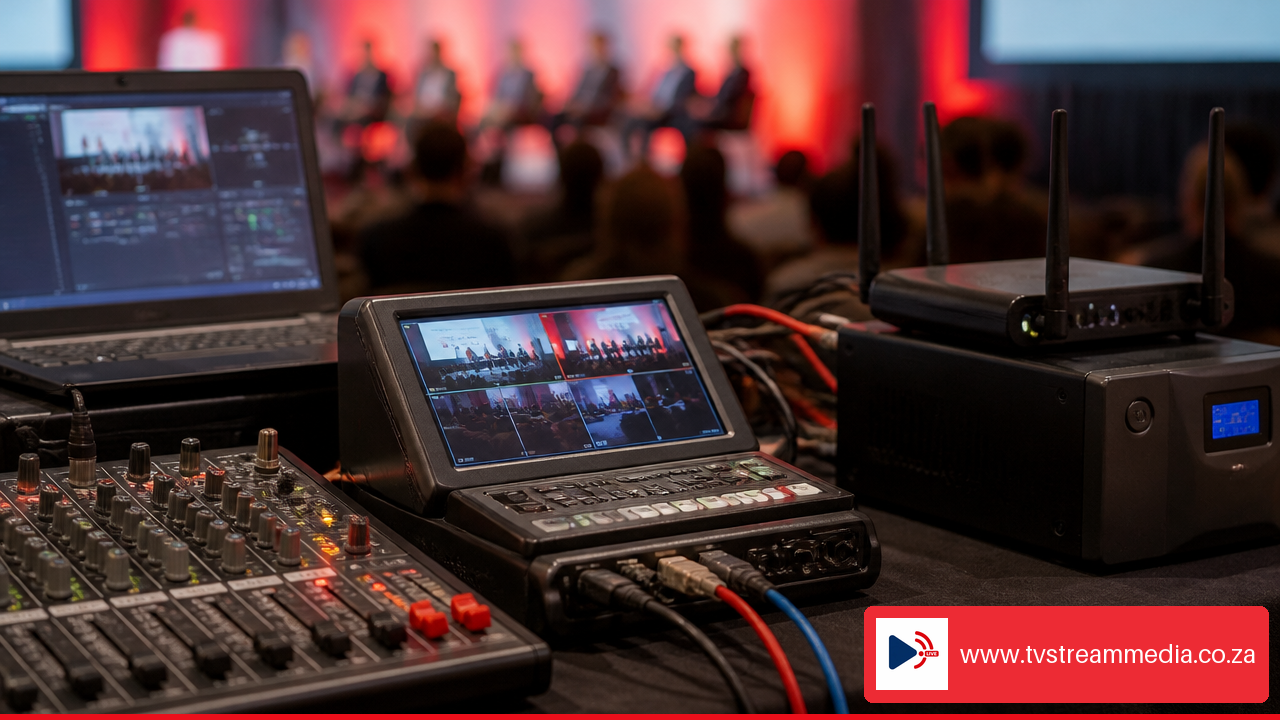
A South African public sector livestream specification required the supplier to provide power and an audio feed where venue facilities were not guaranteed. That is a useful reminder to treat venue infrastructure as something to verify, not assume. Read the Nelson Mandela Bay Municipality livestream specification.[10]
Build A Reliable Production Workflow
Select Cameras And Capture Presentations Properly
The right camera count depends on what viewers need to see, not on a fixed production rule. One camera may be enough for a seated leadership update. A conference usually benefits from at least a wide stage view and a tighter speaker angle. Add a presentation feed so remote viewers can read slides clearly instead of watching a projected screen through a camera.
A practical conference setup often includes:
A wide camera for the stage and panel context.
A close camera for speakers, awards, or demonstrations.
A direct presentation feed for slides, videos, and screen content.
A preview monitor for speakers who need to see remote participants or presentation cues.
Record a local master copy whenever possible. If the platform connection fails, the event can still be edited or published later. For a high stakes keynote, a pre recorded emergency version of the speech can also provide a fallback while the team restores connectivity.
Prepare Remote Speakers And Presentation Ingest
Remote presenters add delay, device differences, and home network uncertainty. Collect final slide files in advance, even if speakers plan to share their screens. The production team should display the controlled local copy while the speaker talks. This avoids missed fonts, notification popups, slow screen sharing, or a presenter losing access moments before their slot.
Each remote speaker should complete a short technical check covering:
Wired headset or good quality microphone.
Stable connection and a backup mobile hotspot.
Quiet, well lit location with camera at eye level.
Slide handoff method and final media files.
Cue process for joining, speaking, and leaving the session.
Fair warning: remote video can never be fully guaranteed from a home or hotel network. A prepared host, local slide operator, and fallback phone audio can keep the programme moving if a remote camera freezes.
Use An Incident Runbook, Not General Backup Advice
A backup only helps if someone knows when and how to use it. Assign a decision owner for each failure type before the event.
Failure | Immediate Action | Decision Owner | Viewer Facing Response |
|---|---|---|---|
Primary internet fails | Switch to backup route or bonded connection | Streaming engineer | Keep a holding slate or continue on reduced quality |
Audio feed fails | Switch to backup mixer or camera microphone | Audio lead | Tell host through cue channel if a pause is needed |
Camera fails | Cut to alternate camera, slides, or holding visual | Director | Continue programme without drawing attention to equipment |
Power interruption | Maintain critical equipment on UPS during changeover | Technical lead | Monitor stream status and avoid unnecessary switches |
Platform issue | Move audience to pre communicated backup page if available | Producer or platform lead | Post a clear update through email or social channels |
The runbook should include phone numbers, login access, backup stream keys, power locations, and a clear threshold for changing plans. For instance, if the primary connection becomes unstable for more than a defined period, the streaming engineer should switch to backup connectivity without waiting for a committee discussion.
Choose Platforms, Branding, And Audience Features
Select Access Controls That Match The Event
Choose the platform based on confidentiality, audience size, content ownership, moderation needs, and reporting requirements.
Access Model | Suitable Events | Key Controls To Confirm |
|---|---|---|
Public stream | Product launches, public panels, brand announcements | Chat moderation, embed permissions, social sharing, recording visibility |
Registration based | Webinars, partner events, lead generation sessions | Registration fields, reminder emails, attendance reporting, replay access |
Private or authenticated | AGMs, internal meetings, shareholder and executive communications | Authentication, password controls, access expiry, recording restrictions |
Branded website embed | Events needing a controlled brand experience | Player embed support, page performance, support contact, analytics integration |
A branded website embed can make the event feel like part of your digital property rather than a link that sends viewers elsewhere. It also gives you more room for agendas, speaker bios, sponsor placements, support details, call to action buttons, and a post event recording.
Plan Social Streaming Without Splitting Attention
Simultaneous streaming to social platforms can increase reach, but it creates moderation work. Each channel may have its own comments, viewer expectations, aspect ratio considerations, and platform rules. Do not promise real time question handling on three channels if one moderator is trying to operate the show.
A better approach is to choose a primary destination for questions, such as a branded event page or one social platform. Then use other channels for viewing and directional messages. Have moderators collect repeated questions, remove inappropriate comments where controls allow, and pass selected questions to the host at planned intervals.
Design For Mobile Data And Accessibility
Many viewers will join from phones, cellular connections, or busy office networks. Adaptive bitrate delivery can provide several quality levels, allowing the player to shift quality as a viewer’s connection changes. Where available, offer a 720p option for viewers managing mobile data and 1080p for audiences with stronger connections.
Captions can support accessibility, viewers in noisy locations, and people watching without sound. They should be tested with speaker names, specialist terms, and presentation content. If captions are automated, assign someone to check quality for important events.
TV Stream Media can help organisations configure a connected event media setup around these decisions: branded online destinations, live channel takeover, video on demand, multi live streaming, scheduled programming, and social distribution. The useful question is not simply which platform to use. It is which combination of access, branding, distribution, moderation, and post event content supports the event objective.
Frequently Asked Questions
What Equipment Is Needed To Live Stream A Corporate Event?
At minimum, you need a camera source, clear audio, encoder, stable internet route, and streaming platform. A professional corporate setup commonly adds camera switching, presentation capture, lighting, monitoring, communication headsets, recording, backup internet, and power protection. The exact list should follow the event format and failure tolerance.
How Much Upload Speed Does A Corporate Livestream Need?
Calculate from the encoder bitrate budget, then add headroom for stability and other production traffic. A single modest quality stream may use far less capacity than a multi camera 1080p event with several outputs. Test the actual venue connection rather than treating a generic Mbps figure as a guarantee.
Is Venue Wi Fi Reliable Enough For A Professional Event Stream?
Sometimes, but it should not be assumed. Shared Wi Fi can change as attendees connect. A dedicated wired connection is usually the safer primary route, with independent cellular or bonded backup for important broadcasts.
How Do I Prevent Echo With Remote Speakers?
Use mix minus audio so each remote speaker hears the programme without hearing their own delayed voice returned to them. Test headphones, remote audio routing, audience microphones, and playback videos during rehearsal.
Should A Corporate Event Be Streamed Publicly Or Privately?
Choose public access for reach and easy sharing. Choose registration or authenticated private access when content is confidential, attendance needs tracking, or recordings require tighter control. Confirm who can enter, share, download, comment, and replay before invitations go out.
Is 720p Or 1080p Better For Viewers Using Mobile Data?
1080p can look sharper, especially for slides and stage detail, but it uses more data and needs stronger connections. Adaptive bitrate delivery is often the most practical option because viewers can receive a quality level that matches their connection.
What Should Be Included In A Technical Rehearsal?
Rehearse the real run of show: speaker transitions, camera framing, PA feed, slides, remote guests, captions, platform logins, moderator handoffs, stream monitoring, recording, backup connectivity, and power changeover. A rehearsal should expose decisions that would be slow or risky to make live.
Sources And References
Audiovisual Lab + Event Livestreaming South Africa: The Complete Business Guide — https://audiovisuallab.co.za/journal/event-livestreaming-south-africa/
Astral Studios + Event Live Streaming in South Africa: A Guide for Businesses — https://www.astralstudios.co.za/event-live-streaming-south-africa/
SID Video + Tips on Planning a Corporate Livestream That Runs Smoothly — https://www.soundideavideoproduction.co.za/2026/06/26/tips-on-planning-a-corporate-livestream-that-runs-smoothly/
Corporate Event Planning + Virtual & Hybrid Events Johannesburg — https://corporateeventplanning.co.za/services/virtual-events
Nelson Mandela Bay Municipality + Live Streaming Request for Quotation Specification — https://www.etenders.gov.za/home/Download/?blobName=5fcc8424-8d10-428d-96fc-cd409de147de.pdf&downloadedFileName=RFQ%203%20of%202023%20NMM%20Live%20Streaming%20Spec%2006.04.23.pdf